
Business Process Automation and AI
AI automation services take repetitive, rule-based work off your team, one workflow at a time, so your Melbourne organisation gets the time back.
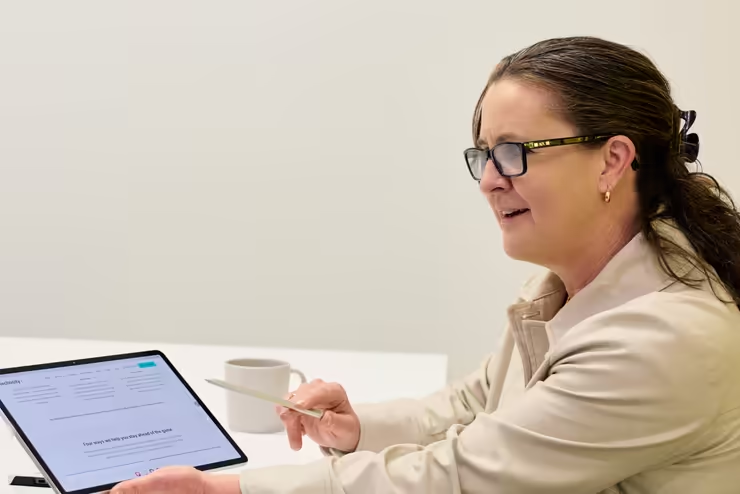
AI automation services you can start with.
The same job, before and after.
Details typed into two systems, approvals stuck in an inbox, a report rebuilt by hand: we automate steps like these in Microsoft 365 and Power Platform (Microsoft's tools for forms and workflows), with AI only where it takes work off people. The dashed boxes are the steps that stop.
Client onboarding
How it runs today4 steps
What it becomes3 steps
- Form emailed to the client
- Printed, signed and scanned back
- Typed into the first systemTyped again
- Typed into the second systemTyped again
- Filled in once, signature included
- Printed, signed and scanned back: Stops
- Arrives in the first system
- Arrives in the second system
The client types the details once, and they reach both systems without anyone keying them in again.
Approvals
How it runs today4 steps
What it becomes3 steps
- Request sent by email
- Waits in one person's inbox
- Chased by whoever needs it
- Decision lost in the email chain
- Request raised once, with a status
- Sent straight to the approver
- Chased by whoever needs it: Stops
- Who approved what, and when, on record
Anyone can see where a request is up to without asking around.
Monthly report
How it runs today4 steps
What it becomes2 steps
- Exports pulled from each system
- Figures keyed into the spreadsheetTyped again
- Reconciled by hand
- Sent out as an attachment
- Figures collected on a schedule
- Figures keyed into the spreadsheet: Stops
- Reconciled by hand: Stops
- Report ready, with its sources stated
The day somebody spent building it comes back every month.
Document handling
How it runs today4 steps
What it becomes2 steps
- Saved to one person's desktop
- Emailed out as an attachment
- Edited in two copies
- Changes typed back into one versionTyped again
- Saved in one shared place
- Emailed out as an attachment: Stops
- Everyone edits the current version
- Changes typed back into one version: Stops
Access ends when the engagement does, so no stray copy is left in an inbox.
One workflow at a time, and we stop if it is not landing.
The work is paced for your team: one change lands before the next one starts. Every change is designed to be safe with your data, and written down so it does not live in one person's head.

Watch how the work is done
We sit with the people doing it, because their workarounds, and the spreadsheet everyone depends on, never appear in a process document.
Pick one thing
The one with the best ratio of hours returned to disruption caused. We tell you what we expect it to save, so you can hold us to it afterwards. Where several workflows compete, the order belongs in your technology plan.
Build it and run it alongside
The old way keeps working while the new way is tested, so the change is relied on only once it has proved itself.
Check whether it stuck
A few weeks later we look at whether people are using it. If they are not, we find out why, then fix it or take it out.
Every job starts with why the work is done that way, since a step that can simply stop needs no automation.
Our own service desk supports whatever we change afterwards, so we keep every change simple enough for the desk to look after. That desk's survey result is 98% satisfaction across 3,184 surveyed support interactions, as at 13 October 2026.
Where AI automation meets the rest of your technology.
Automation changes how work moves through your systems, so it touches the help desk, the plan and the risk.
AI AutomationAutomate the busywork.
- Data that flows between systems, without re-keying
- Approvals routed and tracked
- Dashboards in place of manual reports
Whatever we build is supported by the service desk you already ring for everything else.
When several workflows compete for attention, the order they happen in belongs in your technology plan.
Every automation is a new account with access to your data, so its access is part of your cyber risk.
Questions managers ask before automating a process
Is this a big transformation program?
Usually not.
The changes are small and specific: one form that becomes a workflow, one report that stops being assembled by hand, one approval that leaves the inbox.
How do you decide what to automate first?
We look for work that is repetitive, rule-based and frequent, and weigh the hours it returns against the effort to change it. The four tests we apply, in order, are on workflow and process automation.
How much does AI automation cost?
Each change is quoted in writing before work starts. What moves the quote, and what we need from you, is set out in the costed scope for workflow and process automation.
Will this mean redundancies?
It's a fair question, and better asked early. We scope the work to take repetitive tasks off people. If reducing headcount is the intention, say so up front, because it changes how the work should be scoped and explained to your team.
Our team is already stretched. Can they absorb this?
Only if it's paced properly, which is why we do one workflow at a time and stop if people aren't using it. Helping your team adopt each change is part of the work.
Can we set up automations ourselves?
Small ones, yes. The forms, approvals and scheduled jobs in Microsoft 365 are there to be used, and we will say when a change is small enough to do yourselves. The part to get right is access. An automation signs in to your systems, so decide what it can reach and who owns it before it goes live.
Where does AI fit?
Where AI takes repetitive work off people, it is worth looking at. Where it would send confidential client material somewhere it should not go, it is not. We help you make that call before anything is switched on. Whatever we set up carries the same access controls as the rest of your systems. Secure AI covers how we do that. techosity is an ISO 27001 certified organisation, and our team includes two Certified Information Systems Security Professionals (CISSP), a Certified Cloud Security Professional (CCSP) and an ISO 27001 Lead Auditor.
How is this different from the support service?
Support keeps what you have working. This changes how the work is done. They are separate purchases, and you can buy either.
Still unsure? Ring us.
1300 14 10 10Monday to Friday, 8:30am to 5:30pm Melbourne time. Calling is always the fastest way to get help.
The task everyone hates is where we look first.
Describe it in a sentence and say how often it runs. The first conversation costs nothing.
1300 14 10 10- Monday to Friday,
8:30am to 5:30pm Melbourne time - Unit 7, 42 Global Drive,
Tullamarine VIC 3043

Bring this
The task, in a sentence
How often it runs
Roughly how long it takes now